
Working With Your MTTM AI Thinking Partner

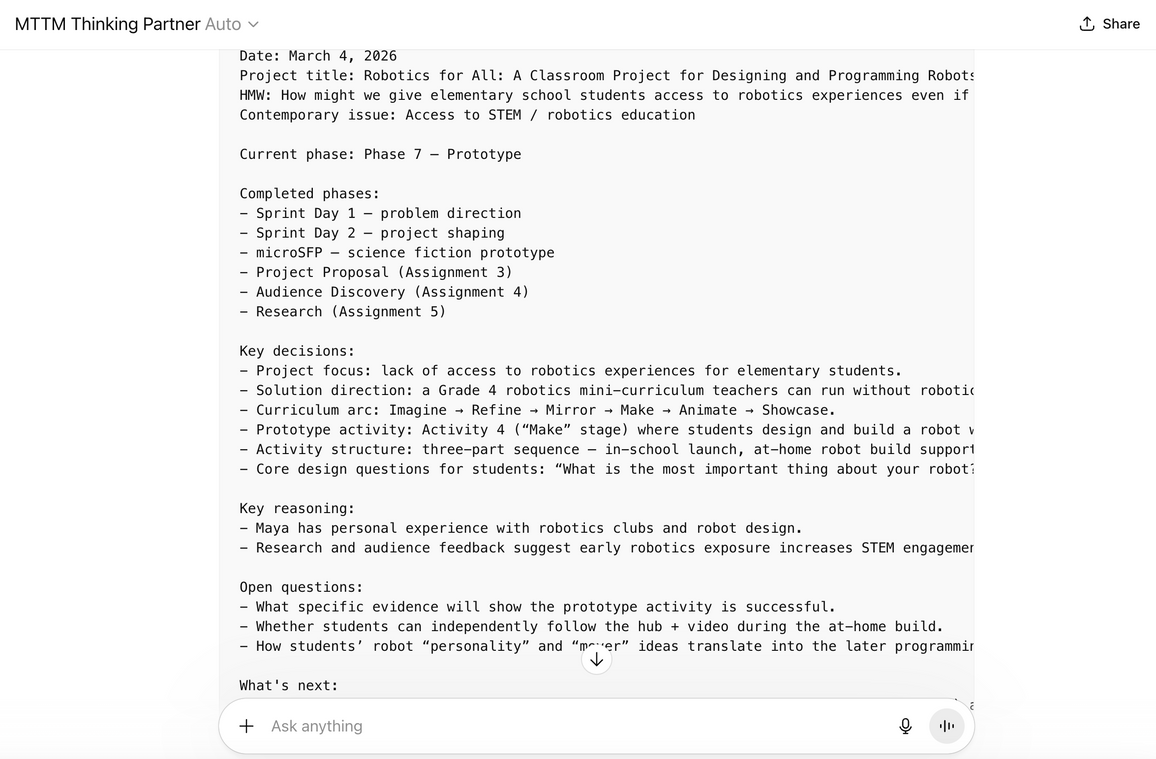
Your MTTM Thinking Partner is a Custom GPT designed for this course. It knows the phases of your project, asks questions to help you think, and keeps track of your decisions across conversations. This post describes how to use it well.
Before you start
Important notes before you start are summarized below. Read the document on Lea entitled "MTTM-AI-Use" for more information.
- Refer to the MIO message "MTTM-AI-Use" for the link to the MTTM Thinking Partner
- Refer to the MIO class message "MTTM-AI-Use" for access to your in-class sprint activity pdf document that you can use as context to continue.
- As discussed in earlier meetings: You do not need to use the MTTM Thinking Partner to follow and complete the preparatory phases for the June classes. Everything can be completed without the AI methodology designed for this course.
How Threads and Phases Work
Use one thread per phase. Do not use one giant thread for everything since the context of the conversation will lose focus if it goes too long. Each assignment tells you which phase to use.
Starting a new thread:
- Open the MTTM Thinking Partner in ChatGPT
- Paste your context handoff from the previous phase. This is a block of text that summarizes where you are, what you've decided, and what comes next. If this is your first time, just introduce yourself and say which phase you're starting.
- The thinking partner will confirm your phase and pick up where you left off
Ending a thread:
- When you're done working, tell the thinking partner: "I'm done for now. Can I get a context handoff?"
- It will give you a code block with your key decisions, current phase, and a seed question to think about before next time
- Copy and save this handoff — you'll paste it into your next thread
- Save the conversation as a PDF (Ctrl+P or Cmd+P → Save as PDF). You'll need your thread trail for the final report, and the PDF is your backup if you lose the handoff
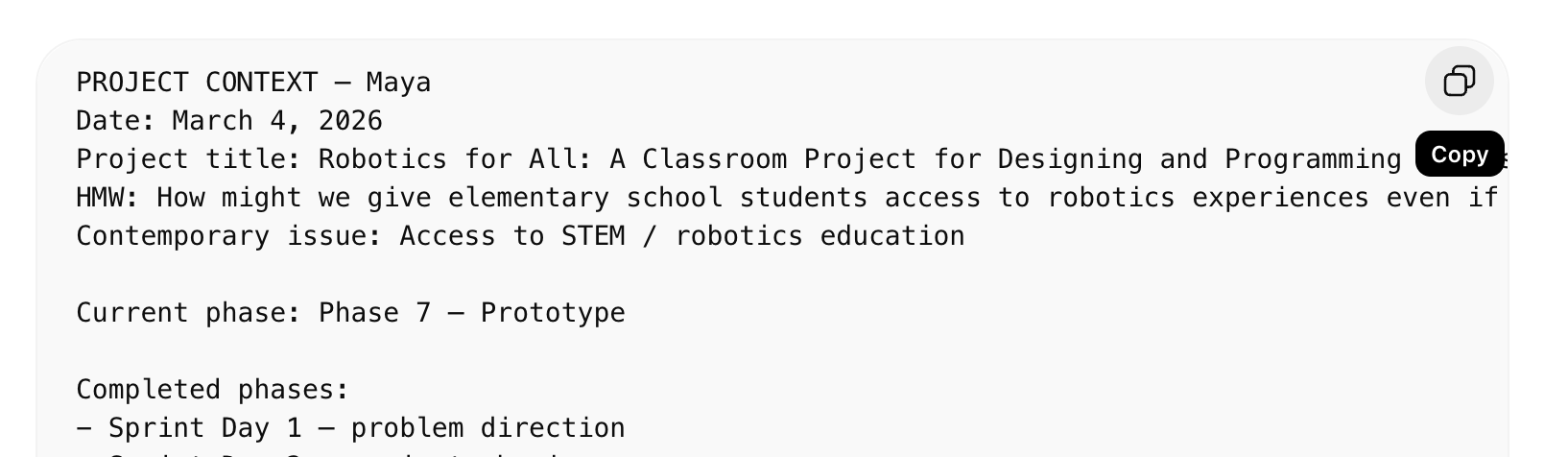
The handoff is what gives the thinking partner memory across conversations. Without it, each thread starts from scratch.
Phase-by-Phase Guide
| Phase | Assignment | What You Bring | What the AI Helps With |
|---|---|---|---|
| 3 | microSFP | Your "what if?" questions from the sprint | Pick a scenario, find a character, think through consequences |
| 4 | Project Proposal | Your Project Snapshot + microSFP | Work through proposal sections, sharpen your direction |
| 5 | Audience Discovery | Your proposal | Prepare interview questions, process what you learned |
| 6 | Research | Your project direction + audience insights | Figure out what to search for, articulate source connections |
| 7 | Prototype | Your research + project plan | Define scope, think about structure, prepare for feedback |
| 8 | SALTISE Prep | Your HMW question | Evaluate which talks connect, process your field notes |
| 9 | Final Report | Everything from the semester | Map your work to report sections, think through reflections |
Tips
- Push back. If the AI suggests something that doesn't feel right, say so: "That's not what I mean" or "That doesn't fit my project." It will adjust.
- Say when you're ready. If you've answered enough questions and want to move on, say "enough questions" or "I'm ready to write." The AI will switch to summarizing what you've decided.
- Share your thread. Include your ChatGPT thread link when you submit each assignment. It shows how your thinking evolved and it counts as part of your process. You have been given full permission to use the AI thinking partner.
- Use the seed question. At the end of each phase, the thinking partner gives you a question to think about before your next session. Think about it if you find it useful. The best project insights can happen between threads, not during them.
What the AI Won't Do (By Design)
- Write your assignments. It will help you think, but the writing is yours.
- Pick your topic or format. It will offer options and push for specificity, but the choice is always yours.
- Tell you your idea is great if it's vague. It will be honest about scope, clarity, and readiness.
- Replace talking to real people. For Audience Discovery (Assignment 5), you need to have actual conversations. The AI will tell you to go do that first.
- Give you sources to cite without checking. AI can suggest search directions, but it can also make up sources. Always verify.
If Something Goes Wrong
- Lost your handoff? Start a new thread and summarize where you are in your own words. The AI will pick it up.
- Wrong phase? Just tell it: "I'm actually in Phase [N]." It will adjust.
- Thread got too long or confused? Start fresh with a new thread and your latest handoff.
If you run into a problem you can't solve, let the instructor know.
Responsible Use
- You can opt out. The thinking partner is part of the course methodology, but it is not a requirement. If you prefer to work without AI, that's completely fine — your assignments and grades are not affected.
- You can use an anonymous account. If you're not comfortable having an AI account tied to your name, you can create a free ChatGPT account with any email. You don't need to use your real name.
- Guard your personal information. Use the thinking partner for educational purposes. Don't share sensitive personal details, passwords, or private information in your conversations. Treat it like any online tool — share what's useful for your project, keep the rest private.
- AI is a tool, not an authority. It can be wrong. It can make up sources. It can give confident-sounding advice that doesn't fit your situation. You're always the one making the decisions.
Final Thoughts
Your conversation threads and context handoffs are part of your final submission. They show how your thinking evolved from the first spark to the final project. That arc including the changes, the dead ends, and the breakthroughs is itself a record of your learning. Take care of it. But if you decide not to use AI you will need to reflect critically on why you made this choice.
